Every company has its own language. One calls it a "blowout", another a "cancelled at the door". One has "awaiting finance", another "finance pending".
GlazingCRM uses your words.
Setting up statuses
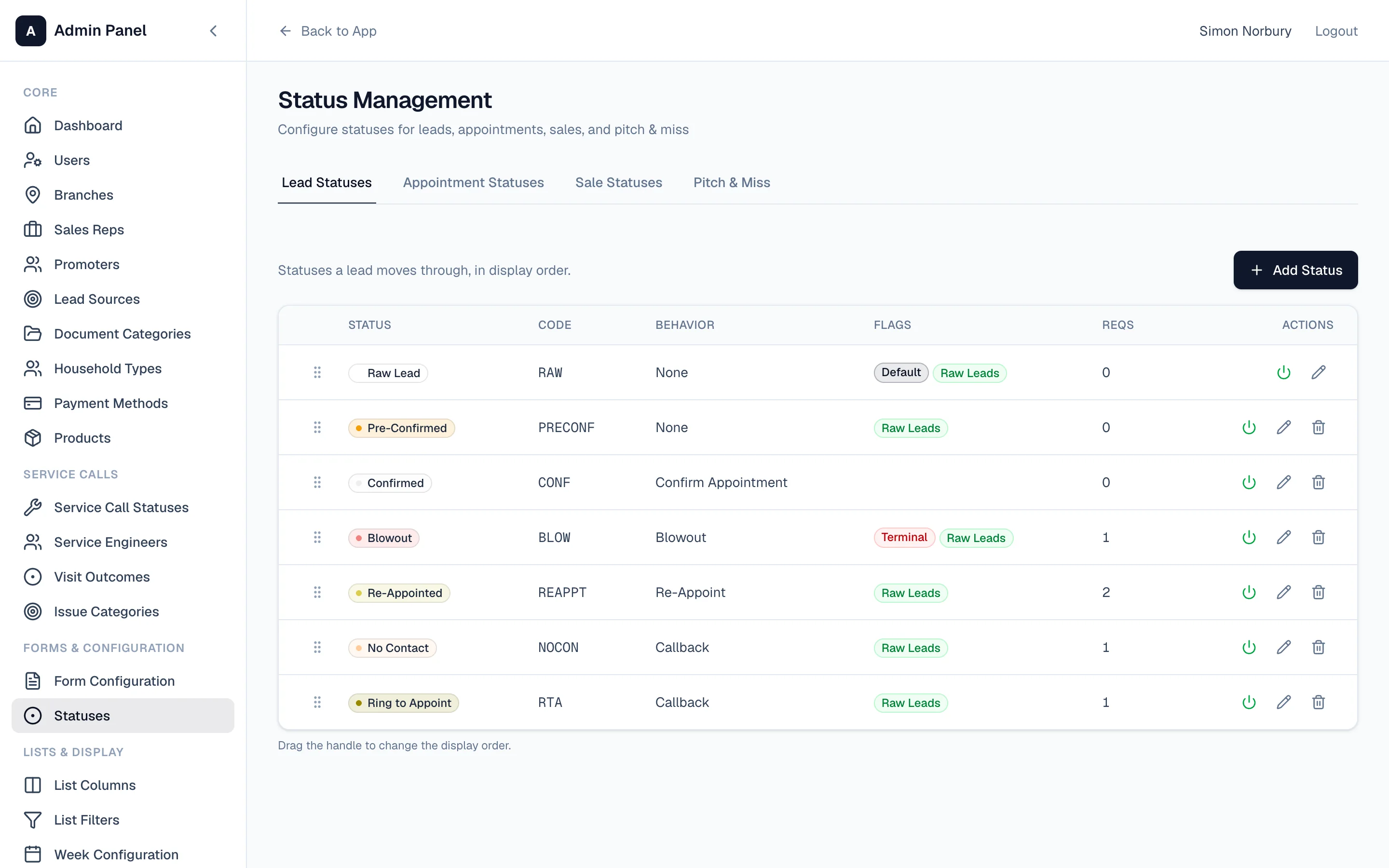
Go to Settings → Statuses. There are separate tabs for:
- Lead statuses — raw lead, pre-confirmed, confirmed, no contact, ring to appoint…
- Appointment statuses — sold, pitch & miss, no demo, dead…
- Sale statuses — awaiting finance, cleared, cancelled, on planning…
- Pitch & Miss statuses
For each one you choose the name, a short code, a colour, and what it does — for example, whether it confirms an appointment, books a call back, or ends the lead.
Drag them into the order you want them to appear.
Why behaviour matters
Each status tells the system what should happen next. Mark a lead as "Ring to Appoint" and it's treated as a call back. Mark a sale "Cancelled" and it comes out of your figures and shows as a cancellation in the reports.
That's how your reports stay accurate without anyone needing to understand how they're worked out.