Ask ten home improvement companies what "week 12" means and you might get ten answers. Some start the week on a Monday, some on a Saturday. Some start the year on 1 January, some on the first full week.
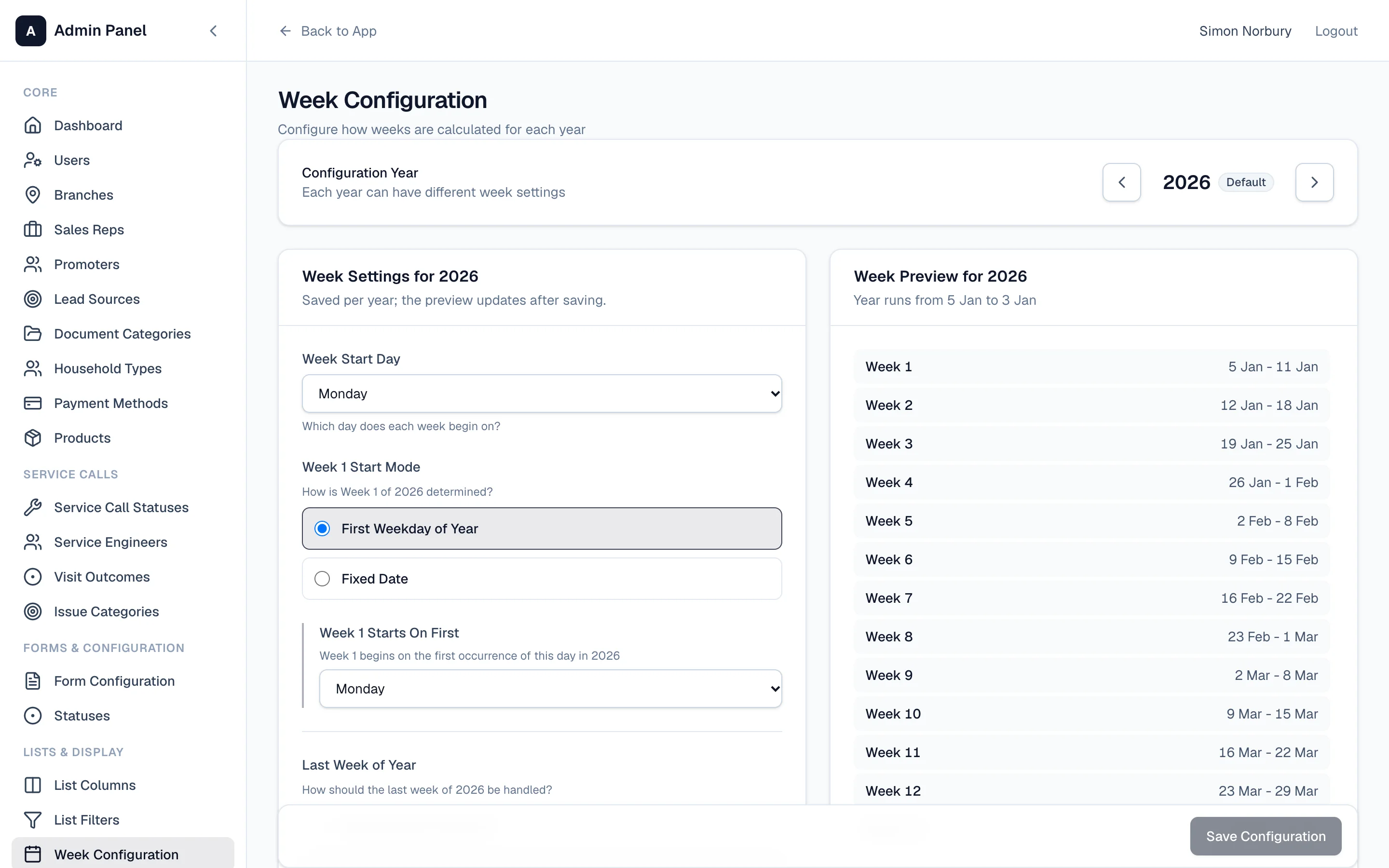
GlazingCRM lets you set it up your way, so "week 12" in the system means the same as "week 12" in your Monday meeting.
What you can set
In Settings → Week Configuration, for each year:
- the day your week starts — Monday, Saturday, whatever you use
- how week 1 is decided — the first chosen weekday of the year, or a fixed date
- what happens to the last few days of the year — for example, stretching the final week to the year end so no days are left over
A preview on the right shows every week for the year with its dates, so you can check it before saving.
Where it shows up
Your week settings drive the week pickers right across the system — the dashboard, the calendars, Sales Flash and the reports — so everyone is always looking at the same week.