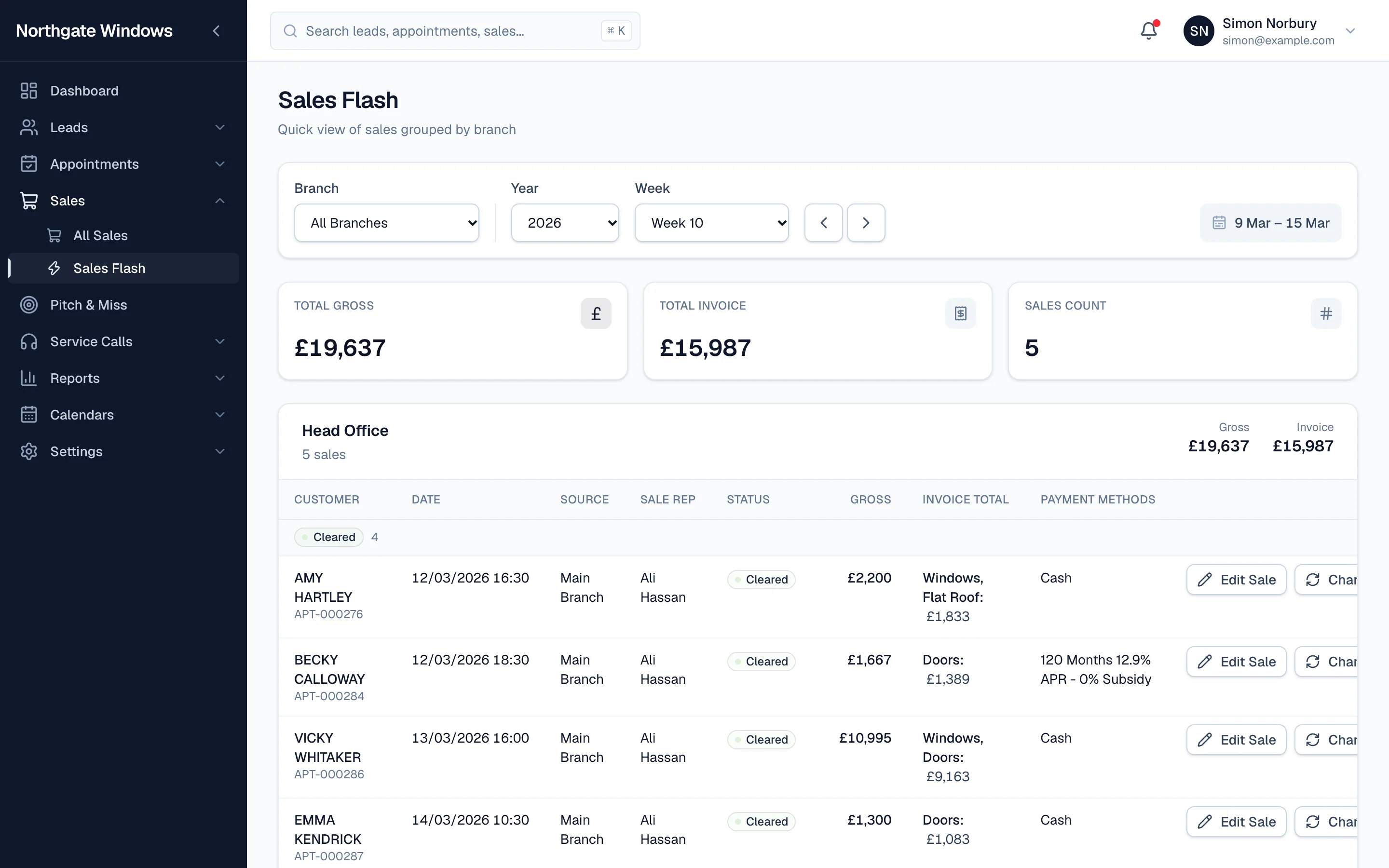
Every Monday, somewhere, a sales manager is copying last week's sales into a spreadsheet. Sales Flash means you never have to again.
What it shows
Pick a week (or step through them with the arrows) and Sales Flash shows:
- total gross, total invoice and number of sales across the business
- each branch with its own totals
- every sale with the customer, date, source, rep, status and products
- how each sale was paid — cash or which finance plan
Sales are grouped by status, so you can see at a glance what's cleared and what's still waiting on finance or paperwork.
Fix things on the spot
Spotted a mistake? Edit Sale and Change Status buttons sit on every row, so you can correct it there and then instead of making a note to do it later.
Fast, even for big companies
Sales Flash works from the same totals as the KPI reports, so it opens in about a second even for businesses with years of history and lots of branches — and the figures always agree with your other reports.