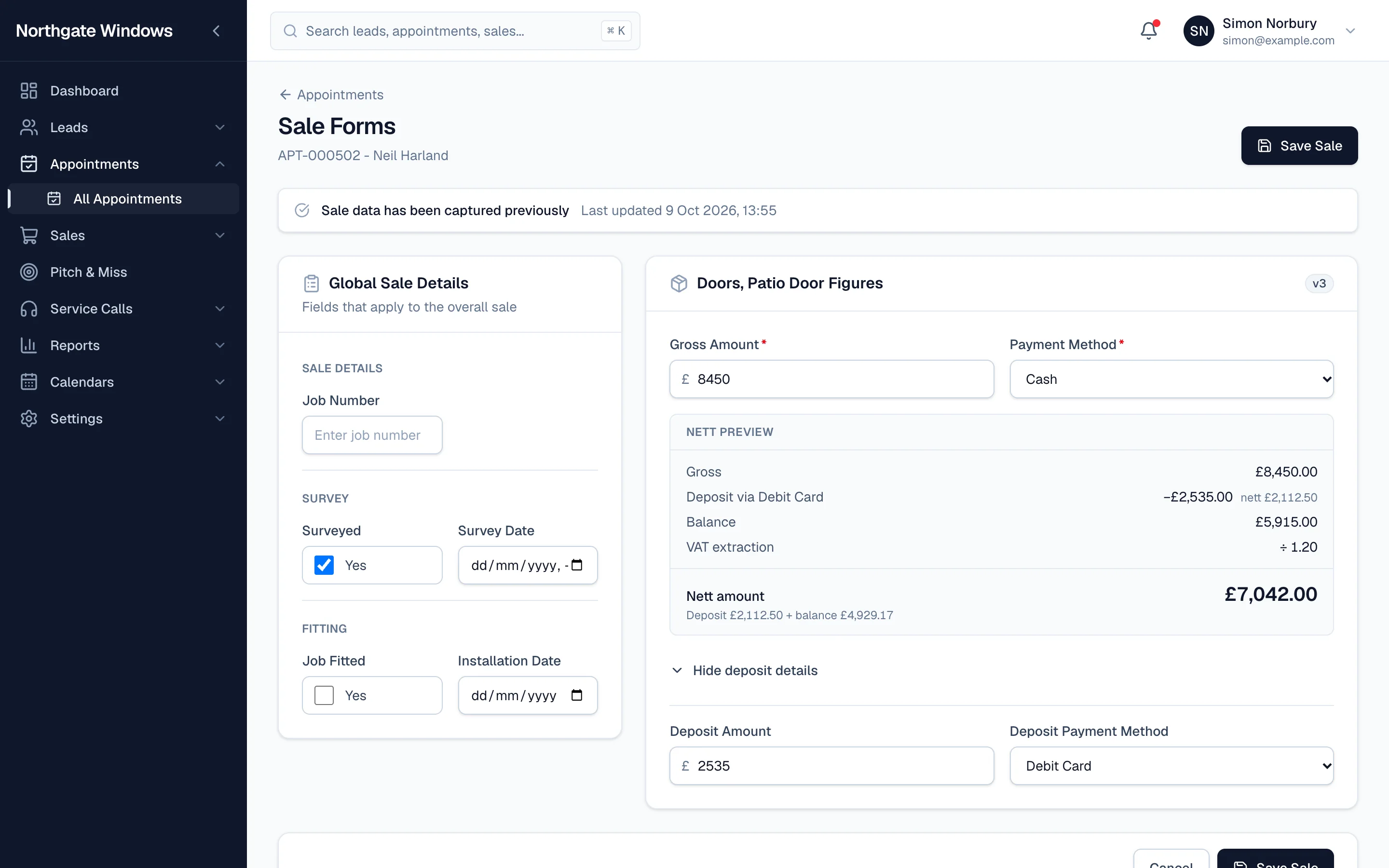
Getting a sale written up properly matters. Get the nett wrong and your reports, your commission and your forecasts are all wrong with it.
That's why GlazingCRM's sale forms do the sums for you.
What you see when you capture a sale
Enter the gross amount and the payment method, add a deposit if there is one, and the Nett Preview fills itself in:
- gross
- deposit and how it was paid
- balance remaining
- VAT extraction
- the nett amount
There's no calculator, no second spreadsheet, and no "I'll work it out later".
Totals and formulas on your own forms
If your sale forms include your own figures — extras, discounts, finance costs — you can add Sum, Formula and Subtotal fields in the form builder. They calculate on screen as the form is filled in, and the saved figures match what your team saw.
Job details in the same place
Alongside the money, the same screen holds the job number, whether it's been surveyed and when, and fitting and installation dates. The office and the fitting team are working from the same page.