Knowing what you sell is easy. Knowing what converts is where the money is.
What the Product Report shows
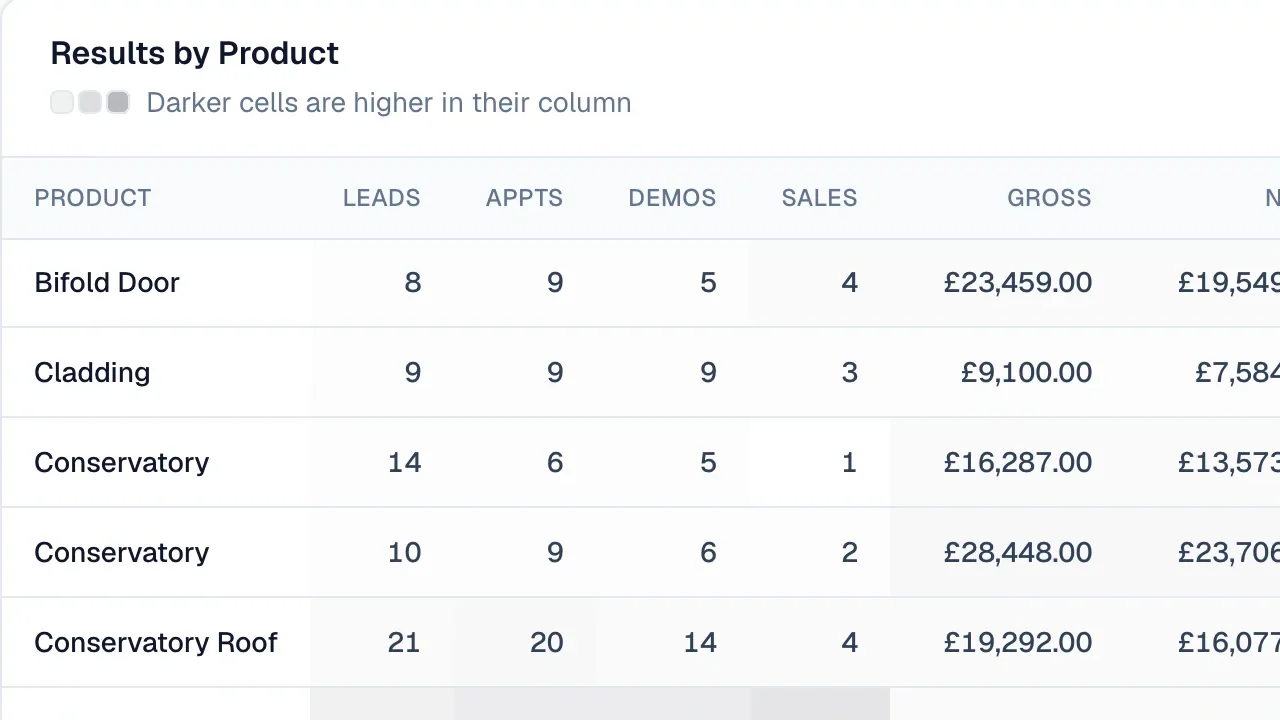
Open Reports → Product Report and choose a date range and branch. Each product gets a row showing:
- leads and appointments where it was discussed
- demos and sales
- gross and nett business
- average order value
- conversion from lead to demo, demo to sale and lead to sale
Darker cells are higher in their column, so the stand-out products are easy to spot.
Questions it answers
- Which products bring in the biggest jobs? Look at average order value.
- Which ones do customers ask about but rarely buy? High leads, low sales — maybe a pricing problem, maybe a training one.
- Which products are quietly growing? Compare this quarter with last.
Use it with your marketing
If one product converts far better than the rest, it's probably the one to put on your next leaflet.