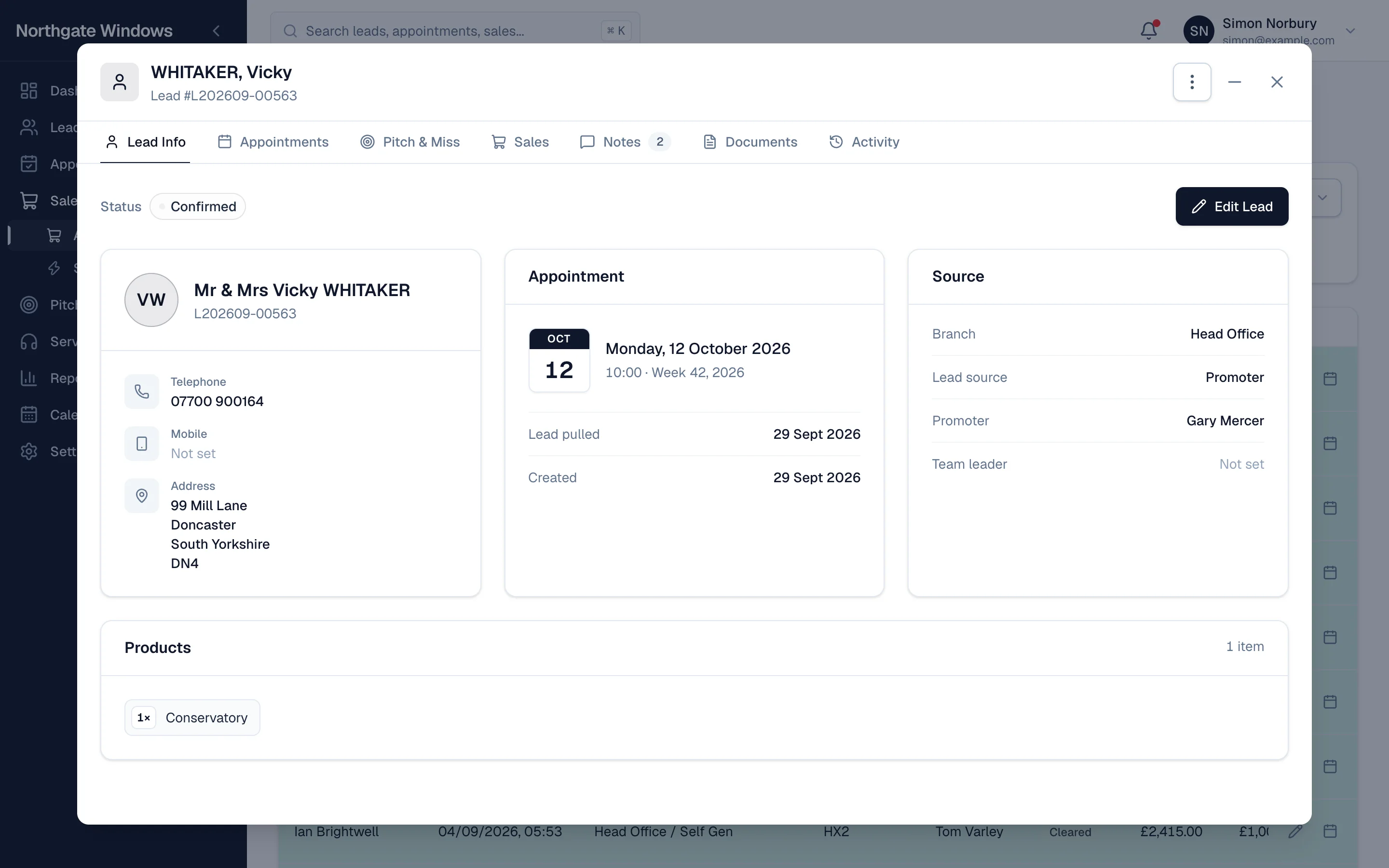
When a customer rings, your team shouldn't have to open five screens to work out who they are and what's going on. In GlazingCRM, click any customer and everything is right there.
What's on the customer record
- Lead Info — contact details, address, where the lead came from, the promoter, and the products they're interested in.
- Appointments — every appointment, its outcome and the rep who sat it.
- Pitch & Miss — any follow-up offers made after a demo that didn't sell.
- Sales — what they bought, for how much, and where the sale is up to.
- Notes — everything your team has written down.
- Documents — contracts, photos and paperwork stored against the customer.
- Activity — a full history of who did what, and when.
Built for the phone call
The most important details sit at the top: status, the next appointment, and how to contact them. Anything else is one tab away, and you never lose your place in the list behind.
Edit in one click
Need to change something? Edit Lead takes you straight to the form, and every change is recorded in the activity history.