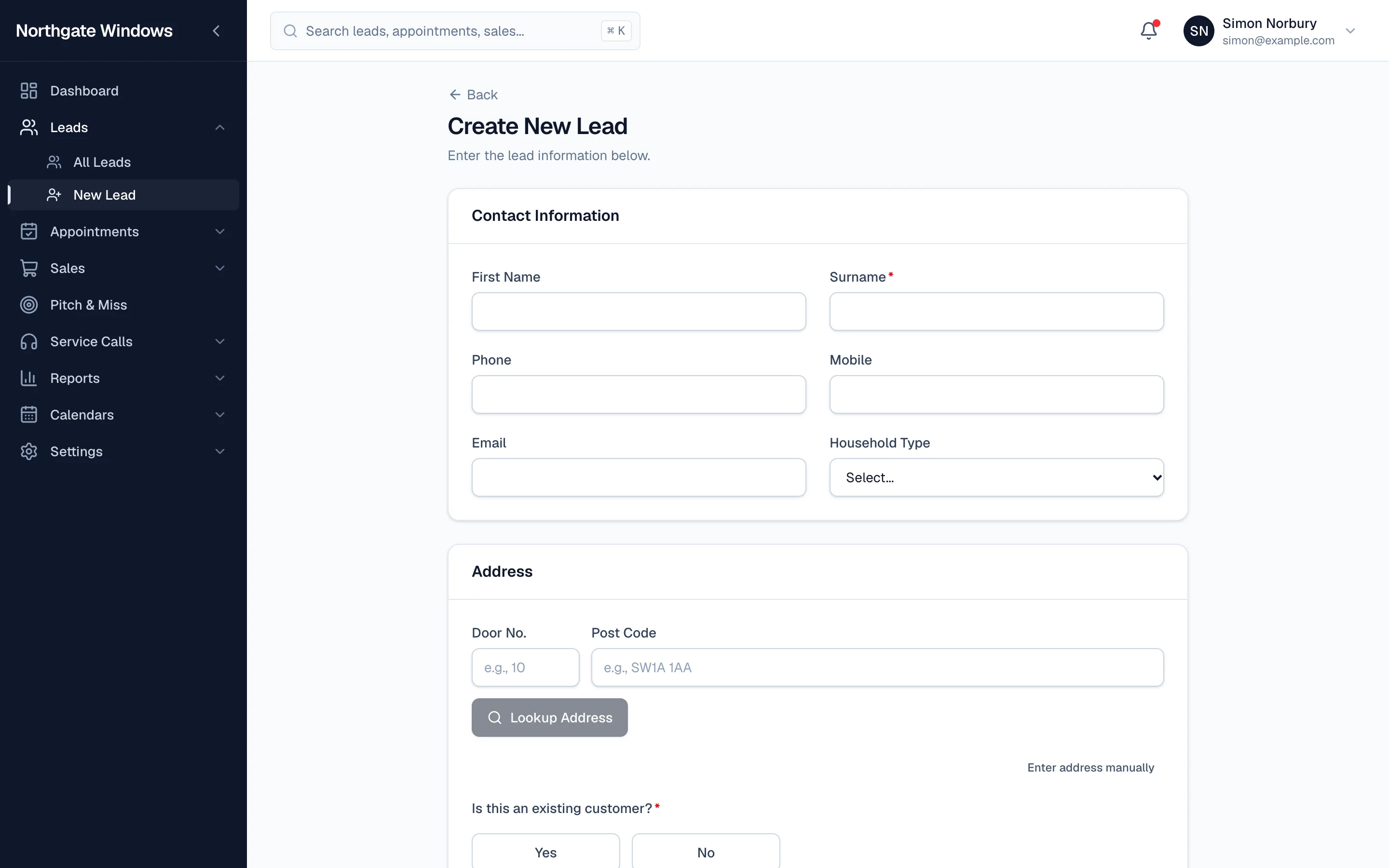
No two home improvement companies take a lead in quite the same way. One wants the house type. Another wants to know if the customer's had a quote elsewhere. Another asks how they heard about you.
In GlazingCRM, you decide.
How the form builder works
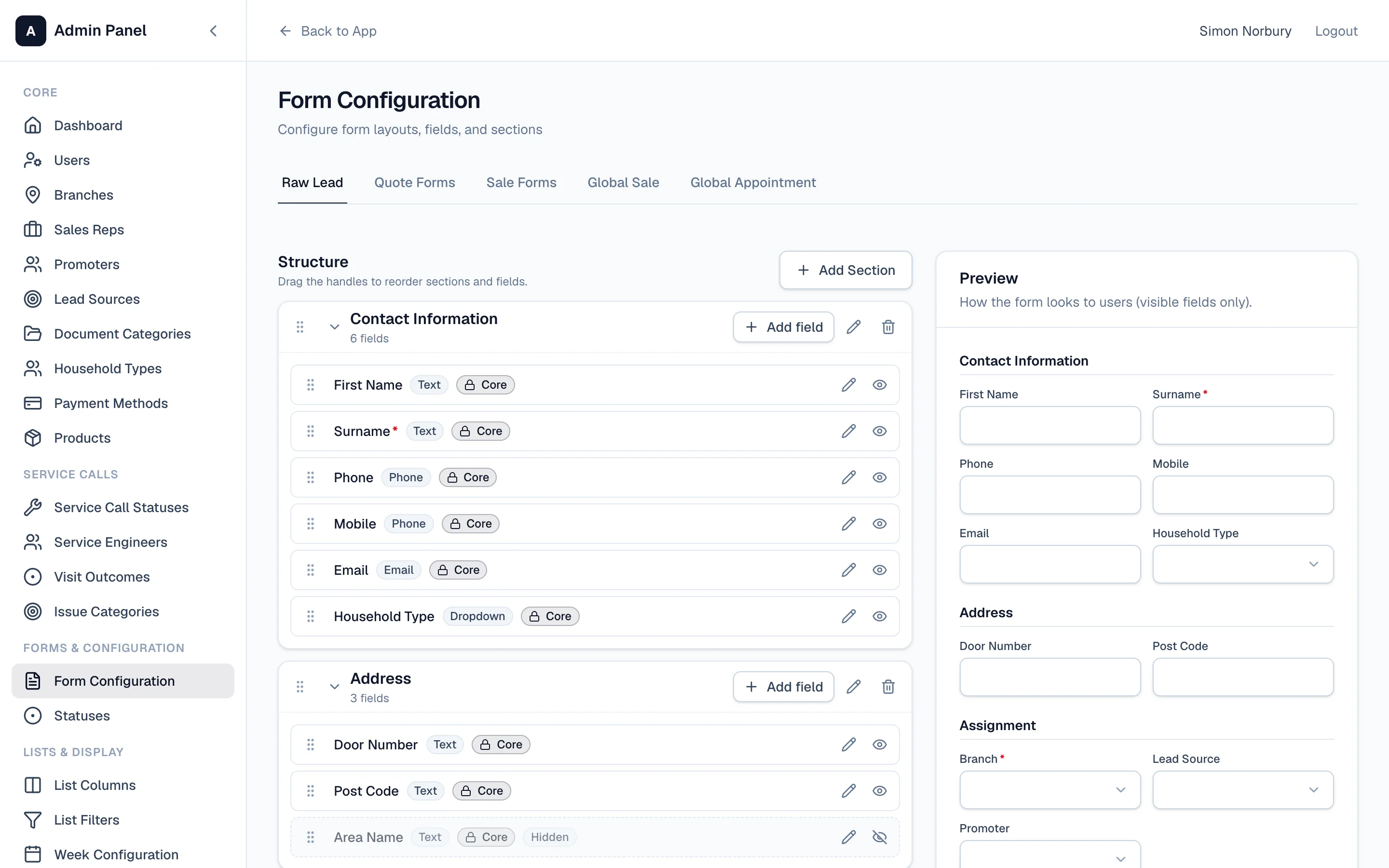
Go to Settings → Form Configuration. You'll see your lead form split into sections — contact information, address, assignment and so on — with a live preview on the right.
- Add a field to any section: text, phone, email, dropdown, date and more.
- Drag fields into the order your team asks the questions.
- Hide fields you don't use, so the form stays short.
- Add sections to group related questions together.
The preview updates as you go, so you can see exactly what your team will see.
Publishing changes
Your changes don't go live until you press Publish. That means you can tidy the form up in your own time without confusing anyone halfway through their day.
It's not just leads
The same builder is used for your quote forms and sale forms, so the figures you record at every stage are the figures your business cares about.