Most sales reps already run their life from the calendar on their phone. Asking them to check a second place for their appointments is asking for a missed visit.
So GlazingCRM lets anyone put their appointments straight into the calendar they already use — Google Calendar, Apple Calendar, Outlook, or almost anything else.
How it works
- Open Calendars → Appointments.
- Use the filters to choose whose appointments you want — one rep, one branch, one promoter, or everyone.
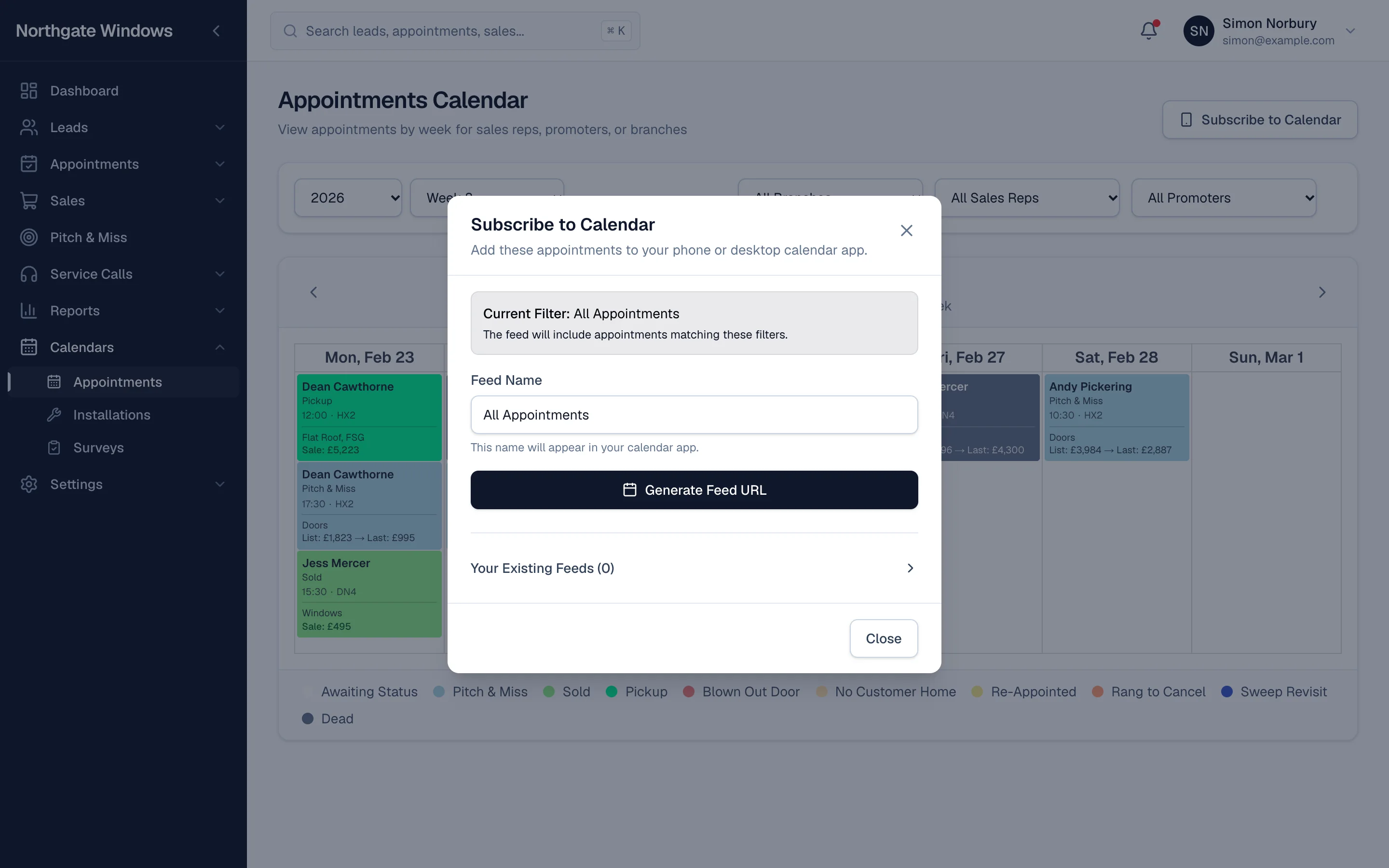
- Click Subscribe to Calendar, give the feed a name, and click Generate Feed URL.
- Open the link on your phone, or paste it into your calendar app's "add calendar" option.
That's it. New appointments appear on their own, and if the office moves a visit, the change follows it through.
Ideas for using it
- Reps subscribe to just their own appointments, so their day is waiting for them when they get in the van.
- Branch managers subscribe to their branch, so they can see who's out and where without logging in.
- Owners add the whole company as a separate calendar they can switch on and off.
Good to know
Each appointment shows the customer's name, its status, their phone number and postcode — enough to plan the day and ring ahead. Notes, history and prices stay inside GlazingCRM, one tap away.
Because the feed includes customer contact details, treat the link like a password: only share it with the person it's for.
You can see every feed you've created under Your Existing Feeds, so it's easy to tidy up when someone leaves.